


The easiest choice
Standalone app
Open Copper Series Tuner by itself and select your instrument input. Choose this when you do not need a DAW.
macOS 11 or newer · Apple silicon and Intel · 8.7 MB
Freeware · Version 0.2.0
Choose how you want to tune.
Use AAX Native in Pro Tools on Mac, the Standalone app by itself, or AU/VST3 in other compatible Mac and Windows recording software.
View supported DAWs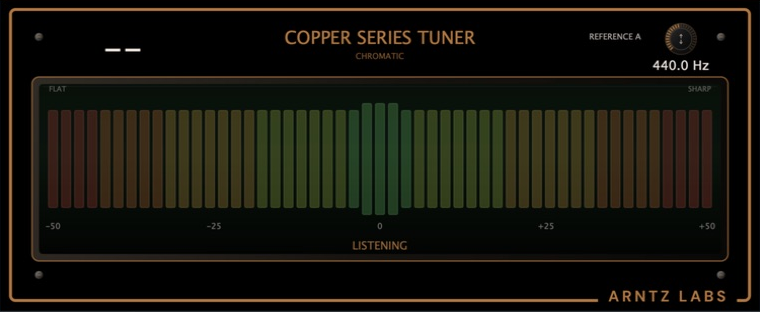
AAX Native · macOS
Install the production PACE-signed AAX Native plug-in. This universal Apple-silicon and Intel build is Apple-notarized and qualified in retail Pro Tools.
macOS 11 or newer · AAX Native · AudioSuite not supported · 6.7 MB
Apple silicon + Intel
The easiest choice
Open Copper Series Tuner by itself and select your instrument input. Choose this when you do not need a DAW.
macOS 11 or newer · Apple silicon and Intel · 8.7 MB
For recording software
One installer adds both Mac plug-in formats for Logic, GarageBand, REAPER, Ableton Live, and other compatible hosts.
macOS 11 or newer · Signed and notarized installer · 13.6 MB
64-bit Windows 11
The easiest choice
Open Copper Series Tuner by itself and select your instrument input. The portable ZIP needs no installer.
Windows 11 · 64-bit Intel or AMD PC · Signed portable ZIP · 3.4 MB
For recording software
Use the signed VST3 inside a compatible Windows DAW. It passed all 47 official Steinberg checks and full-reopen qualification in REAPER.
Windows 11 · 64-bit Intel or AMD PC · Signed VST3 ZIP · 3.0 MB
Supported DAWs
Use AAX Native in Pro Tools. On Mac, AU and VST3 cover other compatible hosts. On Windows, install VST3.
Use the production PACE-signed AAX Native version in Pro Tools.
Use the AU version in these Mac apps.
Use the VST3 version in these DAWs and production apps.
VST3 is a standard format: Copper Series Tuner can also work in any other 64-bit DAW or audio host that supports VST3 effects, including new hosts released after this list was written.
Not sure? Use AAX Native in Pro Tools. Otherwise, use the Standalone app without a DAW or install AU/VST3 for recording software.
AU is for compatible Mac apps. VST3 is supported by many Mac and Windows DAWs. AAX Native is for Pro Tools on Mac; this live tuner does not provide AudioSuite processing.
Need help? support@arntzlabs.com

 Logic Pro
 GarageBand
 MainStage
 Ableton Live
 REAPER
 Studio One
 Digital Performer
 FL Studio
 LUNA
 Adobe Audition
 DaVinci Resolve / Fairlight
 Audacity
 Ardour
 Harrison Mixbus
 Cubase
 Bitwig Studio
 Reason
 Tracktion Waveform
 Mixcraft
 Cakewalk Sonar
 Samplitude Pro X
 Renoise
 n-Track Studio
 MPC Software / MPC Beats
 Band-in-a-Box
 MultitrackStudio
 SoundBridge
 Serato Studio
 Pyramix
 Cantabile
 Gig Performer